Why salesforce breaks test automation – and what actually works
26.08.2026
Salesforce projects are often approached with a test automation playbook that worked beautifully on standard web apps. Then six months later that playbook stopped working. The test suite is flaky, expensive, and quietly being abandoned in favour of manual regression.
We’ve seen this pattern often enough to know that it’s a platform and assumptions problem, instead of a skills problem.
Salesforce is not just another web app
From a user’s point of view, Salesforce looks like a web application. It loads in a browser. It has pages, forms, buttons. This familiarity is the source of the troubles.
Underneath, Salesforce has structural characteristics that make conventional UI test automation approaches fail. These are simply platform realities, not bugs. Test automation needs to be designed around these realities from the beginning.
There are three of these realities worth understanding before the first test is written.
Reality 1: the UI is hostile to automation
Lightning uses shadow DOM and component encapsulation. Element IDs are generated dynamically. Components render asynchronously. And three times a year – Spring, Summer, Winter – a major platform release can rotate the DOM structure you were relying on.
What this means in practice: selectors based on text content, XPath, or auto-generated element IDs are structurally flaky. They work until they don’t, and “don’t” usually happens overnight without warning.
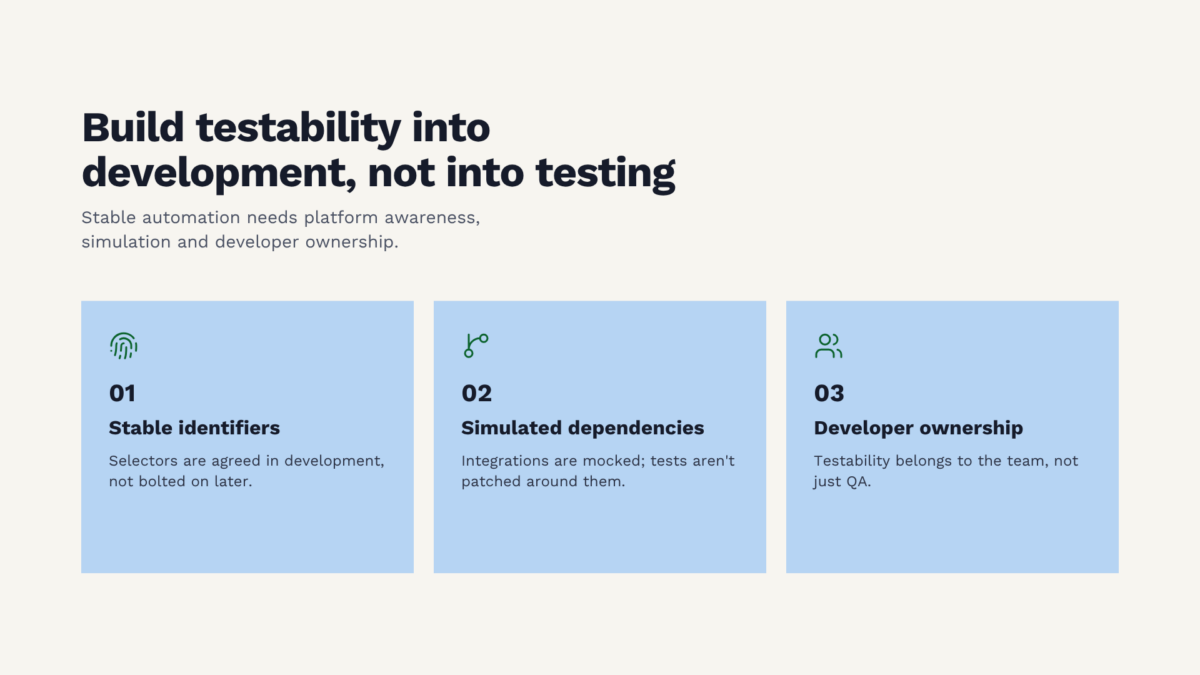
The fix is a selector strategy. Stable test suites are built on platform-aware hooks – Salesforce’s own data attributes like data-aura-class and data-key – or, better yet, data-testid attributes that developers add deliberately for testing purposes. Teams that make this a development discipline, not a QA problem, end up with test suites that survive seasonal releases without rewrites.
When we see a Salesforce test suite where 40% of maintenance goes into selector updates, instead of a new tool we recommend a conversation with the development team about testability hooks. It is a cheaper fix and it holds.
Reality 2: the 75% coverage mandate is a trap
Salesforce requires 75% Apex code coverage to deploy to production. This sounds like a quality guarantee but it isn’t. It is a minimum bar that incentivizes volume over substance.
You can hit 75% with tests that execute code paths without asserting anything meaningful. Test.startTest() and System.runAs() make it easy to run the code and tick the box. We have reviewed Salesforce projects with 80%+ coverage and near-zero assertion density. The coverage number is green; the tests are theatre.
The fix is cultural as much as technical. Count assertions, not executions. In code reviews, ask what the test is proving, not what it is running. And, this one often surprises teams, addressing the architecture. If your Apex code can only be tested by inserting records and querying them back, your architecture is not testable. The separation of Service, Domain, and Selector layers, patterns widely documented in the Salesforce community, exists specifically to make Apex unit-testable without DML.
If the tests exist to pass, they aren’t tests. They are compliance artefacts.
Reality 3: test data is its own discipline
In a generic web application, test data is often a solved problem – insert a row, run the test, clean up. In Salesforce, it is not.
Validation rules, record types, triggers, sharing rules, and managed packages all shape what data can exist and how. You cannot simply insert an Account record: you may be missing a required field that a validation rule checks, a record type a trigger depends on, or a related contact a sharing rule cares about. Test data in Salesforce is a composition of interdependent objects that must respect the platform’s rules.
Every serious Salesforce team eventually writes a TestDataFactory pattern to centralize this. The factory absorbs the platform complexity in one place, and every test inherits that correctness for free. Those without a factory write the same data-setup code repeatedly, each time slightly differently, and pay the maintenance cost forever.
This is a decision that should be made in the first week of a Salesforce QA project. It is much harder to retrofit it later.
What actually works
There are three things that, in our experience, distinguish successful Salesforce test automation investments from the ones that stall.
Salesforce-aware tooling. Generic tools like Playwright can work, but the team has to rebuild platform-specific knowledge inside them: the selector quirks, the asynchronous rendering handling, the data factory patterns. Tools built specifically for Salesforce encode that knowledge out of the box. Though it is clear that these too come with price tags and limitations. For teams without deep Salesforce test engineering capacity, the platform-aware tools might be a good choice.
Stubbed integrations, not live ones. Test environments that call real external systems inherit the availability and data-stability problems of those systems. A nightly regression that fails 30% of the time because a partner sandbox was down is not a proper regression suite. Replace live integrations with stubs in the test tier, and keep a separate, smaller set of true end-to-end tests for real integration verification.
Developer ownership of testability. Test hooks, i.e. data-testid attributes, testable Apex architecture, deterministic data factories, should be treated as part of the development work. Those that put all responsibility on QA, watch the test suite decay release by release.
Where AI fits
AI accelerates several parts of this work. It drafts test skeletons from user stories. It triages flaky test failures by correlating across runs. It suggests selector improvements. It generates test data variants. These are useful and real productivity gains.
There is one place AI should not be trusted: fixing failing tests autonomously. Given the goal “make this test green,” AI will often rewrite the assertion to match the new behaviour rather than surface that the behaviour changed. This is the opposite of what a test is for. Keep humans in that loop. AI as a drafting assistant is powerful. AI as a test maintainer without oversight silently turns your test suite into a mirror of production, not a verifier of it.
The question to ask before the next hire
When a Salesforce test automation effort stalls, the instinct is usually to add people. In our experience, this is the wrong first move.
Ask instead: does our test suite survive a seasonal release without a rewrite? If the answer is no, the constraint is architecture – in the test code, in the application code, in the relationship to testability. Adding people without fixing the constraint just produces more tests that need to be rewritten when the next release lands.
Fix the foundations. Then scale. Salesforce punishes the teams that try to do it in the opposite order.